| App | Best for | Price |
|---|---|---|
| 1. Tone | People who want to say a whole meal and be done | Announced at launch |
| 2. MyNetDiary | People who want some voice logging free | Free; Premium Plus $99.99/year for whole-meal voice |
| 3. Cronometer | Detail-minded people who track micronutrients closely | Gold $10.99/month or $59.99/year |
| 4. MyFitnessPal | People who want the biggest database and lots of app connections | Premium $19.99/month or $79.99/year |
| 5. Fitia | People who want meal plans and grocery lists with their tracking | Premium, $59.99/year on the App Store |
| 6. Lifesum | People who like chatting to edit a meal (“replace rice with quinoa”) | Premium (several prices on the App Store) |
| 7. SnapCalorie | People who mostly photograph meals and sometimes dictate | Free for up to 3 AI logs a day; Premium (several prices on the App Store) |
| 8. Lose It! | Beginners who want a friendly, simple weight-loss app | Premium $79.99/year, or $299.99 lifetime |
| 9. MacroFactor | Data-minded people who want coaching that adapts every week | $11.99/month or $71.99/year; no free version |
1
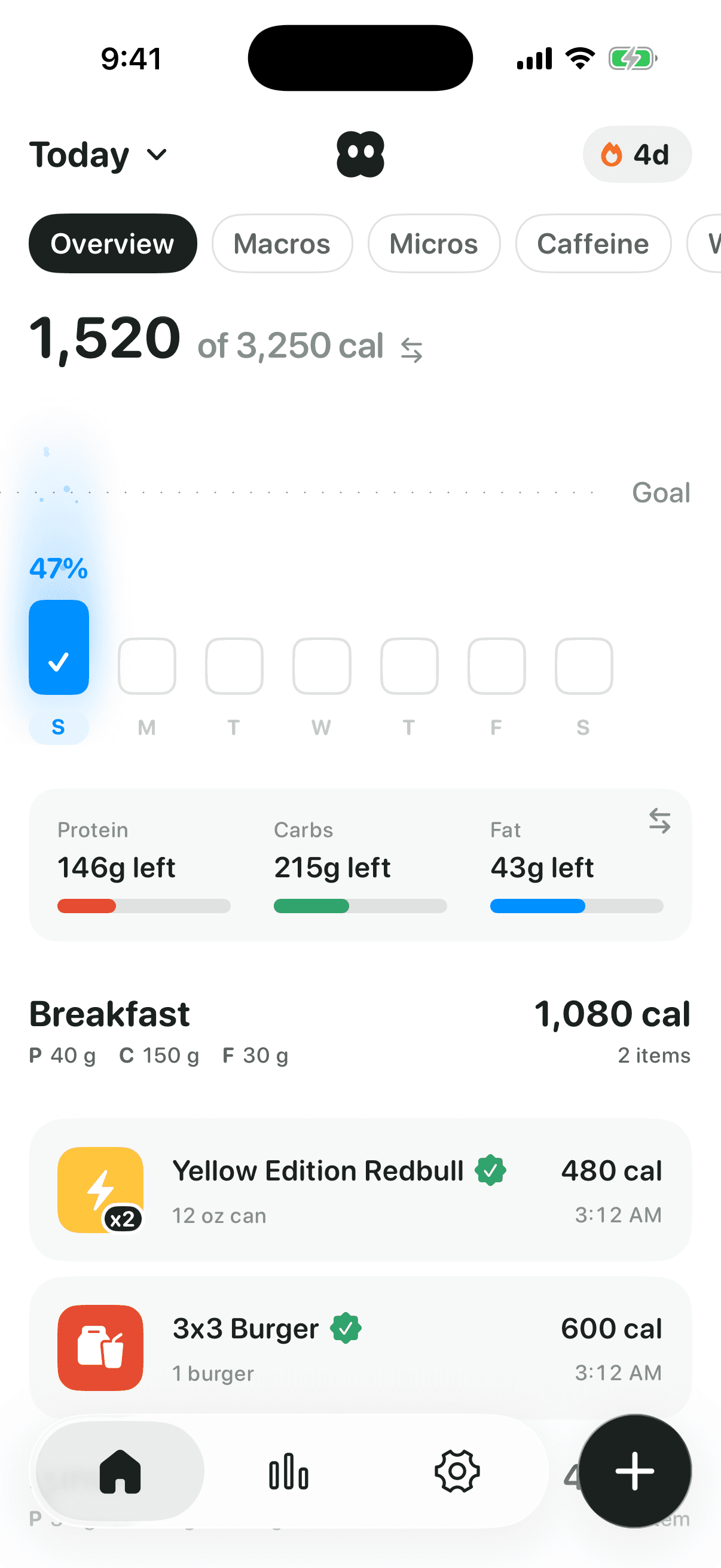
Tone
Best for: people who want to say a whole meal and be done.
- How voice works
- The main way in. Say the whole meal in one go (“two eggs, toast and an oat latte”) and Tone splits it into foods and portions, asks a quick question only when it needs to, like which brand, and shows you what it understood before anything is logged.
- Price
- Announced at launch
Good
- Built around voice, not added to a search-first app
- Every food says where its numbers came from, and Tone Verified foods are checked by a person
- Tracks caffeine as a curve through the day, with a sleep line and a cut-off time
Watch out for
- iPhone only, and not out yet
- A smaller food database than the big trackers
2
MyNetDiary
Best for: people who want some voice logging free.
- How voice works
- Two levels. On the free version you can speak individual foods for quick entry; describing a whole meal out loud is AI Voice Logging, part of Premium Plus.
- Price
- Free; Premium Plus $99.99/year for whole-meal voice
Good
- Voice for single foods on the free version
- No ads and no account needed on iPhone, per its own page
Watch out for
- Whole-meal voice needs the top tier
3
Cronometer
Best for: detail-minded people who track micronutrients closely.
- How voice works
- Voice Log, part of Gold: speak or type the meal in your own words, and Cronometer matches it to foods in its database for you to review. It also works through Siri.
- Price
- Gold $10.99/month or $59.99/year
Good
- A curated database of over 1.1 million verified foods
- Siri logging as well as in-app voice
Watch out for
- Voice logging is Gold only
4
MyFitnessPal
Best for: people who want the biggest database and lots of app connections.
- How voice works
- Voice Log, part of Premium: say what you ate instead of searching for it. English only.
- Price
- Premium $19.99/month or $79.99/year
Good
- Over 20 million foods, including many restaurant dishes
- Connects with dozens of other apps and trackers
Watch out for
- Voice, photo and barcode logging are all Premium
- Most of the database is user-created; MyFitnessPal marks the entries it has reviewed
5
Fitia
Best for: people who want meal plans and grocery lists with their tracking.
- How voice works
- Voice Food Logging, part of Premium: say what you ate and Fitia records the calories and macros.
- Price
- Premium, $59.99/year on the App Store
Good
- Meal plans and grocery lists alongside logging
Watch out for
- No voice on the free version, which is also limited to 4 meals a day
6
Lifesum
Best for: people who like chatting to edit a meal (“replace rice with quinoa”).
- How voice works
- Part of AI Tracking, a Premium feature: tap + and use the microphone in the AI chat to describe your meal.
- Price
- Premium (several prices on the App Store)
Good
- Edit a logged meal in plain language
Watch out for
- Voice is Premium only, and AI Tracking is off by default until you turn it on
7
SnapCalorie
Best for: people who mostly photograph meals and sometimes dictate.
- How voice works
- Dictate a meal (“two eggs, tablespoon of butter, cup of oatmeal, banana”), or add a voice note to a photo, like “pan-fried in olive oil”.
- Price
- Free for up to 3 AI logs a day; Premium (several prices on the App Store)
Good
- Reports about 15% average calorie error for its photo estimates, from peer-reviewed research
Watch out for
- Photo-first, and the free version is capped at 3 AI logs a day
8
Lose It!
Best for: beginners who want a friendly, simple weight-loss app.
- How voice works
- Say It, its voice logging, is part of Premium.
- Price
- Premium $79.99/year, or $299.99 lifetime
Good
- Simple and encouraging; an App Store Editors’ Choice
- A lifetime purchase instead of a subscription
Watch out for
- Voice and photo logging are Premium, and barcode scanning is moving to Premium
- Shows caffeine on labels, but you can’t set a caffeine goal
9
MacroFactor
Best for: data-minded people who want coaching that adapts every week.
- How voice works
- Describe: type or dictate a meal with the keyboard’s microphone, and MacroFactor turns the text into foods.
- Price
- $11.99/month or $71.99/year; no free version
Good
- A verified food database, checked by people
- Weekly check-ins that adjust your targets to your real expenditure
Watch out for
- Voice goes through keyboard dictation rather than a dedicated voice mode
- No free version after the 7-day trial
What makes a good voice calorie tracker?
- The whole meal at once. You should be able to say “a turkey sandwich, chips and a Diet Coke” and get three foods, not one search.
- A check before it’s logged. Speech gets misheard. A good app shows what it understood and lets you fix it.
- Good questions, only when needed. Brand and size change the numbers a lot. Asking once beats guessing.
- Numbers you can trust. Voice is only as accurate as the food it lands on, so the database matters as much as the listening.
Is voice calorie tracking accurate?
It can be as accurate as searching, because the numbers still come from a food database; voice only changes how you find the food. Where it often does better is detail. People say things they wouldn’t bother to type or that a photo can’t see, like “with oat milk” or “cooked in a tablespoon of olive oil”.
Where it goes wrong is portions and brands. “A bowl of pasta” could be 300 calories or 900. Be specific when it matters, and check what the app heard before you log it.
Is there a free voice calorie tracker?
Partly. MyNetDiary lets you speak single foods on its free version; describing a whole meal is Premium Plus. SnapCalorie’s free version allows 3 AI logs a day. Most others keep voice behind a subscription: MyFitnessPal, Cronometer, Lose It!, Lifesum and Fitia, and MacroFactor has no free version at all. Tone’s pricing will be announced at launch.
Can I log food with Siri?
Cronometer Gold logs food through Siri as well as in the app. Tone doesn’t work with Siri yet; you open the app and tap Start talking.
How we made this list
We looked for iPhone calorie trackers whose own website, help center or App Store listing says you can log food by voice, and checked each fact on October 5, 2026. Cal AI isn’t here: its own pages describe photo, barcode and search logging but don’t mention voice. Tone is first because we make it; the rest are ordered by how fully voice is built in, from describing a whole meal down to keyboard dictation. Prices change and many apps run promotions, so check before you buy. Spot something wrong or a voice tracker we missed? Email support@trytone.app.
Sources
- MyNetDiary for iPhone
- MyNetDiary on the App Store
- Cronometer: Voice logging and Siri
- Cronometer Gold
- Cronometer on the App Store
- MyFitnessPal Help: Voice Log
- MyFitnessPal Premium
- Fitia: Free vs Premium
- Fitia on the App Store
- Lifesum Help: AI tracking
- Lifesum on the App Store
- SnapCalorie FAQ
- SnapCalorie on the App Store
- Lose It! Help: Membership tiers and pricing
- Lose It! on the App Store
- MacroFactor Help: Describe
- MacroFactor on the App Store
About the author
Jacob is a product designer and the founder of Tone. Before Tone, he co-founded Boba, an AI-native trading app, as its chief product officer, and designed products at Decrypt.